
Last week I rebuilt the sitemap system for this site: one index file, two child files for two languages, cross-referenced hreflang annotations, and a lastmod value that had to reflect actual content edits. Along the way I made three mistakes that none of the guides I checked bothered to mention — because most sitemap articles stop at "install a plugin, click Submit".
This is the process I actually ran, including the parts I got wrong and how I caught them. If you're on WordPress and a plugin generates the file for you, you still need the sections on lastmod, multilingual setups, and common mistakes. A plugin producing syntactically valid XML does not mean your sitemap is correct.
What a sitemap is
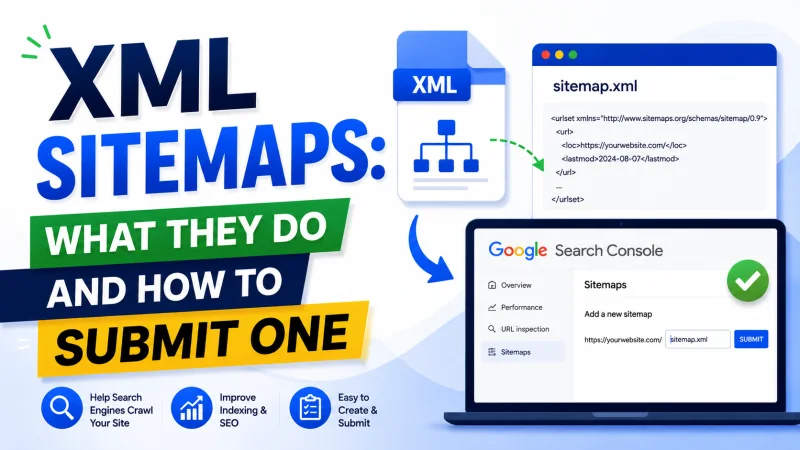
An XML sitemap is a file listing the URLs you want search engines to know about, with a little metadata attached to each one. It sits at a fixed path on your domain, usually /sitemap.xml.
The part people skip: a sitemap is a hint, not an instruction. You're telling Google "here are the pages I consider worth crawling". Google decides whether to crawl them, when, and whether anything crawled gets indexed. Those are three separate decisions.
A sitemap solves exactly one problem: URL discovery. Googlebot finds pages mainly by following links. A page nothing links to is a page the crawler has no route to. The sitemap is a second channel for telling it the page exists.
The biggest misconception: sitemaps don't get pages indexed
Plenty of people submit a sitemap and then check Search Console daily waiting for pages to appear. When they don't, they resubmit, switch plugins, and set priority to 1.0 on every URL.
None of that helps, because discovery was never the bottleneck. If Search Console reports a page as "Crawled — currently not indexed", Google found it, read it, and decided against indexing it. That's a judgement about the content's quality and redundancy, not about your sitemap.
A sitemap only helps when the reason a page is missing is that Google didn't know the URL existed. On a small site with a sane link structure, that almost never happens.
So is it worth doing? Yes — it's cheap, it gives you a reconciliation point in Search Console ("I declared 40 URLs, Google found 40"), and on a new site with no backlinks that second discovery channel genuinely helps during the first few weeks.
Four kinds of sitemap, and the one you need
Standard XML sitemap
A <urlset> file containing a list of URLs. This is the one you need. Hard limits: 50,000 URLs and 50MB uncompressed per file.
Sitemap index
A <sitemapindex> file that contains no page URLs at all — only pointers to child sitemaps. You need it in two situations: your site exceeds 50,000 URLs, or you want to split reporting into meaningful groups.
The second reason is why I use one despite having a few dozen URLs. I split mine into sitemap-vi.xml and sitemap-en.xml. When Search Console flags errors in one file, I immediately know which language they're in instead of hunting through a combined list.
Image, video and news sitemaps
Extensions for specific cases. News sitemaps only apply once you're accepted into Google News. Image sitemaps are worth it when images are the product — stock photography, real estate, e-commerce catalogues. For an ordinary blog, skip them; images inside articles get discovered through the pages that contain them.
HTML sitemap
A completely different thing that shares a name. It's a normal web page listing links to other pages, built for readers rather than crawlers. On a site with a clear menu and breadcrumbs it adds close to nothing. If you're considering one to "boost internal linking", spend that time linking within your article bodies instead — the return is far higher.
What the file looks like
The minimum that does the job:
<?xml version="1.0" encoding="UTF-8"?>
<urlset xmlns="http://www.sitemaps.org/schemas/sitemap/0.9">
  <url>
    <loc>https://example.com/</loc>
    <lastmod>2026-08-06T15:36:27+07:00</lastmod>
  </url>
  <url>
    <loc>https://example.com/blog/seo/the-article</loc>
    <lastmod>2026-08-05T09:12:00+07:00</lastmod>
  </url>
</urlset>
Three rules about <loc> that account for most broken sitemaps:
- URLs must be absolute, including protocol and domain. No relative paths.
- They must match your canonical host form exactly. If the site runs on
httpswithoutwww, every URL in the sitemap must do the same. Declaringhttp://or addingwwwturns every entry into a redirect. - Special characters must be escaped. An
&inside a URL has to be written as&. Get this wrong and the XML is malformed, so Google discards the entire file — not just that one entry.
There's a fourth rule that matters more than all three, and it isn't about syntax: only include URLs you want indexed. More on that in the mistakes section.
lastmod — the one tag Google actually reads
Google has been explicit that they use lastmod, with a condition attached: only when the value is consistently reliable across the site. Publish erratic values and they ignore the tag for your whole domain.
This is the first mistake I made. On the first pass, the homepage's lastmod came from now(). The result: every time Googlebot fetched the sitemap, the homepage claimed to have just been edited. It looks eager, but it's a false signal — and a conspicuously false one, since it changes on every single fetch.
How to get it right:
- Article pages: use the date the content actually changed, not the date the database row was touched. If your system bumps
updated_atevery time the view counter increments, that column is unusable. I keep a separatecontent_updated_atthat only changes when I explicitly mark an article as updated, and increment view counts withwithoutTimestamps()so timestamps stay clean. - Homepage and category pages: derive it from the newest item they list. Those pages genuinely do change when a new article appears, so the claim is accurate.
- Policy and about pages: use the real edit date. If the table has no timestamps, drop
<lastmod>for that group entirely. The tag is optional, and omitting it beats guessing.
Fixing a typo is not a content update. Bumping lastmod for changes like that is the fastest way to make Google stop trusting the tag.
changefreq and priority: drop them
Both tags have been in the sitemap spec since 2005 and still appear in the settings panel of nearly every plugin. Google has confirmed they don't use either one.
The reason is obvious once you think about it: these are numbers site owners assign to their own pages, with nothing to verify them against. Everyone sets priority to 1.0 on the pages they like. A signal where every participant claims the maximum value carries no information.
If your plugin emits them anyway, no harm done — the file is marginally larger. But don't spend time tuning them, and don't believe any article claiming that correct priority values improve rankings.
Sitemaps for multilingual sites
This is the part general guides omit, and the part that's easiest to break.
When one piece of content exists in two languages at two URLs, you have to tell Google they're translations of each other. Without that, Google may treat them as competing pages, or serve the wrong version to a searcher.
There are two places to declare it: <link rel="alternate" hreflang="..."> tags in each page's <head>, or annotations inside the sitemap. Doing it in the sitemap is tidier once you have several languages, since everything lives in one file.
<?xml version="1.0" encoding="UTF-8"?>
<urlset xmlns="http://www.sitemaps.org/schemas/sitemap/0.9"
        xmlns:xhtml="http://www.w3.org/1999/xhtml">
  <url>
    <loc>https://example.com/blog/seo/bai-viet</loc>
    <lastmod>2026-08-06T15:36:27+07:00</lastmod>
    <xhtml:link rel="alternate" hreflang="vi"
                href="https://example.com/blog/seo/bai-viet"/>
    <xhtml:link rel="alternate" hreflang="en"
                href="https://example.com/en/blog/seo/the-article"/>
  </url>
</urlset>
Four non-negotiable rules:
- Annotations must be reciprocal. If the Vietnamese page points to the English one, the English page must point back. Miss the return reference and Google discards the pair.
- Every URL must declare itself. The Vietnamese entry still needs its own
hreflang="vi"line pointing at itself. - Declare the
xmlns:xhtmlnamespace on the<urlset>element. Without that line the file is invalid. - Only annotate pages that genuinely have a published translation. Pointing hreflang at a URL that 404s or isn't live yet is the most common failure in this category.
The fourth point deserves elaboration. In my system an article can be published in Vietnamese while its English translation is still a draft. A sitemap that mechanically follows the data structure would advertise a URL visitors can't reach. The generator has to check each translation's publication status before annotating it — the existence of a row is not enough.
Declaring your sitemap: two steps, not one
In robots.txt
Add one line to robots.txt:
Sitemap: https://example.com/sitemap.xmlThis directive is independent of the User-agent blocks above it and can go anywhere in the file. It works for every search engine, not just Google — Bing, Yandex and others read it too. If you use a sitemap index, declare only the index; there's no need to list the children.
In Google Search Console
Open the Sitemaps section in the left menu, enter the relative path (sitemap.xml), and submit. With an index file, submit only the index — Google reads the children itself and lists each one as a separate row in the report.
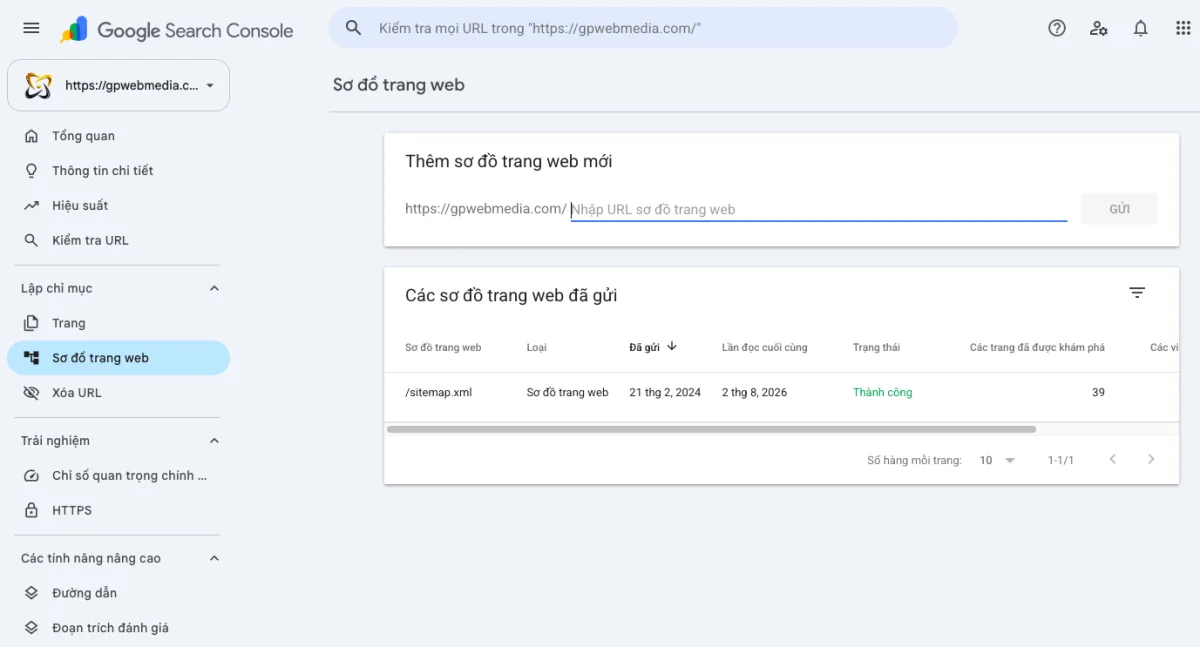
You submit once. There's no need to resubmit every time you publish; Google refetches on its own schedule. Repeated submissions don't speed anything up.
Reading the Search Console report
Three things worth watching after submission:
- Status and last read date. If that date sits frozen for weeks while you keep publishing, check whether the sitemap still returns a 200.
- Discovered URL count. Compare it against what you actually declared. A large gap means entries are being rejected.
- The Page Indexing report, filtered by sitemap. This is the most useful view and the least used. It shows how many of your declared URLs made it into the index, and the specific reason each of the rest didn't.
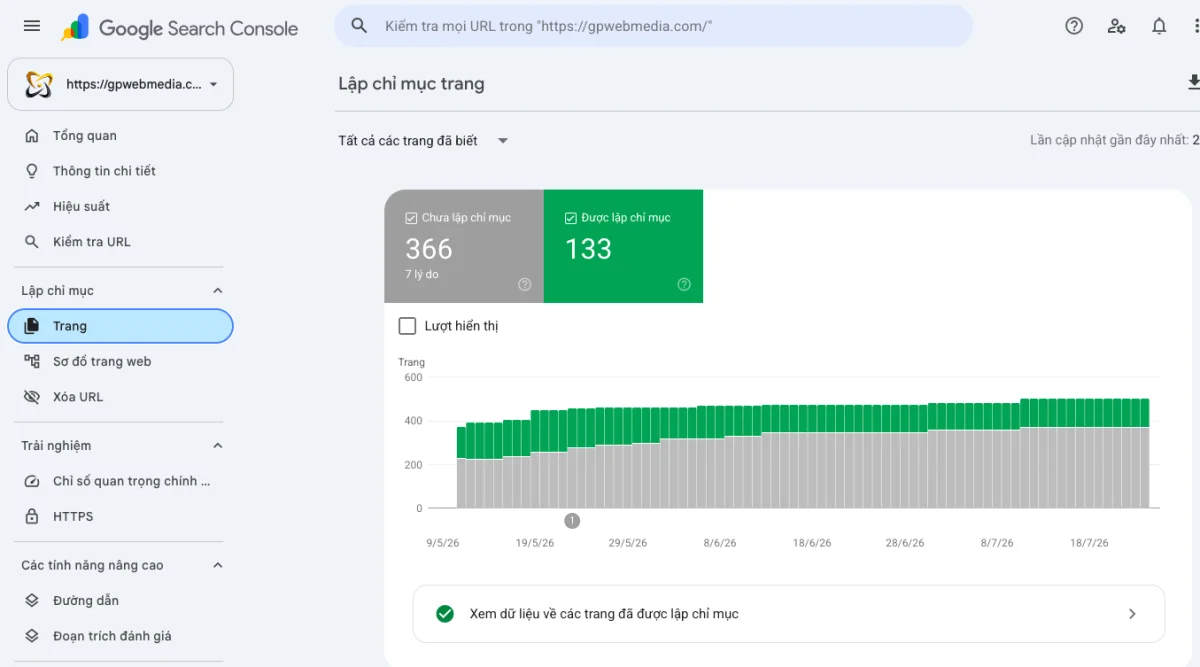
That filter is what turns a sitemap from paperwork into a diagnostic tool. Without it, all you know is that Google received a file.
Seven mistakes I've hit, and how to spot them
| Mistake | Why it hurts |
|---|---|
| Sitemap URLs carrying noindex | You're saying "index this page" and "don't index this page" at once. Search Console flags it directly. |
| Sitemap URLs that aren't canonical | If the page's canonical points elsewhere, the sitemap entry contradicts it. Sitemaps must always list the canonical version. |
| URLs that 404 or redirect | Wastes crawl budget and degrades trust in the whole file. Common after you rename an old slug. |
| Mixed http/https or www/non-www | Turns every entry into an unnecessary redirect hop. |
| lastmod derived from the current time | Google stops trusting lastmod across the entire site. |
| Wrong Content-Type | Must be application/xml or text/xml. Serving text/html works with some consumers and not others. |
| A sitemap that exists but is declared nowhere | The file just sits there with nothing pointing at it. |
Verify from the command line
Opening a sitemap in a browser is the worst way to check it, because the browser renders XML however it likes. I once assumed a file was broken purely because the browser displayed it as one continuous block of text, when the syntax was fine.
Look at what the server actually returns instead:
# First 30 lines of the file
curl -s https://example.com/sitemap.xml | head -30

# Status code and Content-Type
curl -sI https://example.com/sitemap.xml

# Count declared URLs
curl -s https://example.com/sitemap-en.xml | grep -c "<loc>"

# Check whether a specific URL is present
curl -s https://example.com/sitemap-en.xml | grep -A2 "the-article"
Then take a handful of URLs from the file, run curl -sI against each, and confirm they all return 200. Fix anything returning 301 or 404 before you submit to Search Console.
A sitemap is not a substitute for internal links
This is the most important takeaway, so it gets its own section.
A sitemap helps Google find a URL. It says nothing about how important that URL is within your site. That information comes only from links: how many pages point to it, where they point from, and what words they use.
A page that exists only in the sitemap, with nothing on the site linking to it, is still an orphan page. Google can visit it, but receives no signal that it deserves attention. If you were planning to let the sitemap carry the work your link structure should be doing, read the article on internal linking first — a sitemap doesn't solve that problem.
In short
A sitemap is a one-time job, roughly thirty minutes, and then something you barely touch again. Don't turn it into an optimisation project. Four things to get right:
- Include only canonical URLs that return 200 and aren't noindexed.
- Set
lastmodfrom real content edits, or omit it entirely. - With multiple languages, make hreflang reciprocal and point only at published translations.
- Declare it in
robots.txtand submit it once in Search Console.
Once those four are done, move on to the work that actually determines rankings. Sitemaps have never been that work.