
The previous three articles covered the first two questions in technical SEO: can Google find the URL, and is it allowed in. This one is the third question, and the hardest of the three: when several URLs lead to the same content, which one is the real one?
The usual answer is "add a canonical tag". True, but it leaves out something important: a canonical is a suggestion, not an instruction. Google overrides it more often than people expect, and Search Console has a status dedicated to exactly that situation.
This article covers what canonicals actually do, the two places people get them wrong badly enough to hurt themselves, and when a 301 redirect is the better tool.
Where duplicate URLs come from
Before the fix, the problem. A single article can be reachable through a surprising number of URLs you never deliberately created:
https://example.com/articleandhttps://www.example.com/articlehttp://andhttps://- With and without a trailing slash
/article?utm_source=facebook— any campaign tracking parameter/article?ref=newsletter,/article?fbclid=...— parameters other platforms append on their own- The same post filed under two categories, producing two paths
To a reader these are all one page. To a search engine every distinct string is a distinct URL, and it has to decide whether these are separate pages or versions of one.
Left alone, the cost is diluted signals. External links pointing at three variants mean no single version accumulates the full value. Google also spends crawl requests on near-identical copies. And the version shown in search results may not be the one you wanted.
A canonical is a hint, not a command
Most guides skip this, and skipping it makes everything downstream easy to misread.
When you declare rel="canonical", you're telling Google that within this group of similar URLs, you consider this one primary. Google weighs that against other signals — what the sitemap declares, where internal links point, where redirects lead, which URL is cleaner — and then decides for itself.
When signals conflict, Google trusts the rest of them over the canonical tag. The tag only carries weight when everything else agrees with it.
Search Console has a status for this: in the Page Indexing report, "Duplicate, Google chose different canonical than user". Seeing it isn't grounds for blaming Google. In most cases it means signals on your site are contradicting each other — the canonical says one thing while the sitemap and internal links say another.
Syntax and three rules
The tag goes in the <head>:
<link rel="canonical" href="https://example.com/article">Three rules determine whether it works at all:
- Use absolute URLs. Relative paths are technically valid but break easily when a page is served on more than one host. Include the protocol and domain.
- One tag per page. Two canonical tags on a page and Google ignores both. This usually happens when an SEO plugin and a hand-written template tag both fire.
- The canonical URL must return 200. Pointing at a redirecting or 404 URL disables the tag entirely.
And a fourth rule about consistency: the canonical URL must exactly match what's in your sitemap and where your internal links point. Divergence across those three is the most common reason Google picks a different version.
Self-referencing canonicals
A page with no duplicates should still declare a canonical pointing at its own URL. It sounds redundant, but it handles a class of problem you don't control.
When someone shares your article on social media, the platform typically appends tracking parameters. A reader clicks through, and your server serves that same content at a new URL with a parameter tail. With a self-referencing canonical, the parameterised version declares the clean URL as primary — and Google consolidates the signals correctly.
Without one, you're leaving it to Google to guess. It usually guesses right, but this is a single line in your layout that covers the whole site, so there's no reason to skip it.
On this site the canonical defaults to the current URL, and each translation has an optional override field. That override is almost never used — which is a good sign, since manual canonicals should only appear in genuinely special cases.
Pagination: the most common mistake
Your blog listing has /blog, /blog?page=2, /blog?page=3. A piece of advice still circulating widely: point every subsequent page's canonical at /blog to "consolidate strength onto the first page".
Don't. It causes the exact problem you were trying to avoid.
Page 2 and page 1 are not two versions of the same content. They list entirely different articles. Declaring page 1 as page 2's canonical tells Google that page 2 is a copy — and Google may stop crawling it. Articles that only appear from page 2 onward lose an important route to them.
The correct approach: every paginated page declares itself as its own canonical. Page 2's canonical is page 2. They stay index, follow — I covered that in the article on robots.txt and meta robots.
If you're worried about paginated pages competing with each other in search results, in practice they almost never rank for anything. Their job is to be a route for crawlers, not a landing page for searchers.
Canonical and hreflang do different jobs
This is where bilingual sites break, in a way that's hard to notice.
The reasoning sounds sensible: the English page is a translation of the Vietnamese one, so point the English canonical at the Vietnamese URL. Do that and you've removed the English page from search results. You just declared it a duplicate not worth indexing.
Two tools, two jobs:
- Canonical handles URLs carrying the same content. Translations aren't the same content — they're different content serving different audiences.
- hreflang handles URLs that are translations of each other. It tells Google these pages are equivalent, so serve whichever matches the searcher's language.
Done correctly, each translation self-canonicalises and the two cross-reference each other with hreflang:
<!-- On the Vietnamese page -->
<link rel="canonical" href="https://example.com/bai-viet">
<link rel="alternate" hreflang="vi" href="https://example.com/bai-viet">
<link rel="alternate" hreflang="en" href="https://example.com/en/the-article">

<!-- On the English page -->
<link rel="canonical" href="https://example.com/en/the-article">
<link rel="alternate" hreflang="vi" href="https://example.com/bai-viet">
<link rel="alternate" hreflang="en" href="https://example.com/en/the-article">
One implementation detail worth mentioning: on this site hreflang tags are only emitted when at least two languages are published. An article that exists in Vietnamese while its translation is still a draft gets no hreflang tags at all. A one-directional annotation is worthless, and worse, pointing at an unpublished URL is a broken reference as far as Google is concerned.
When to use a 301 instead
A canonical leaves both URLs live and lets Google choose. A 301 closes one URL and pushes everything to the other. The choice depends on whether you need both URLs to keep working.
| Situation | Use |
|---|---|
| Consolidating www to non-www, or http to https | 301. No reason for both to stay reachable. |
| Renaming an old post's slug | 301. The old URL should disappear entirely. |
| URLs with campaign tracking parameters | Canonical. The parameters have to survive for analytics to work. |
| One post reachable under two categories | Canonical to the primary path, if you need both paths. |
| Print or condensed versions of an article | Canonical to the full version. |
| Syndicated content on another site by agreement | Canonical to the original, declared on the syndicating site. |
The general rule: if the other URL has no reason to exist, redirect it. If it needs to keep working for some reason unrelated to SEO, canonicalise it.
On the www question for this site: www returns a 301 to the non-www version, which is the right handling. But the redirect alone isn't the whole job — the sitemap directive in robots.txt, the APP_URL config value, and the URLs inside the sitemap all have to use the non-www form. I found and fixed exactly that bug on this site while writing the previous article.
Reading the report when Google disagrees
Open the Page Indexing report in Search Console and look for two statuses:
"Duplicate, Google chose different canonical than user" — Google saw your tag and disagreed. Click through to see which URL it picked instead. Then check three things: which URL your sitemap declares, which URL your internal links point to, and whether a redirect leads back the other way. One of the three is almost always contradicting the tag.
"Duplicate without user-selected canonical" — Google detected duplication and picked a primary because you declared nothing. If its pick matches your intent, leave it. If not, declare a canonical and align the other signals.
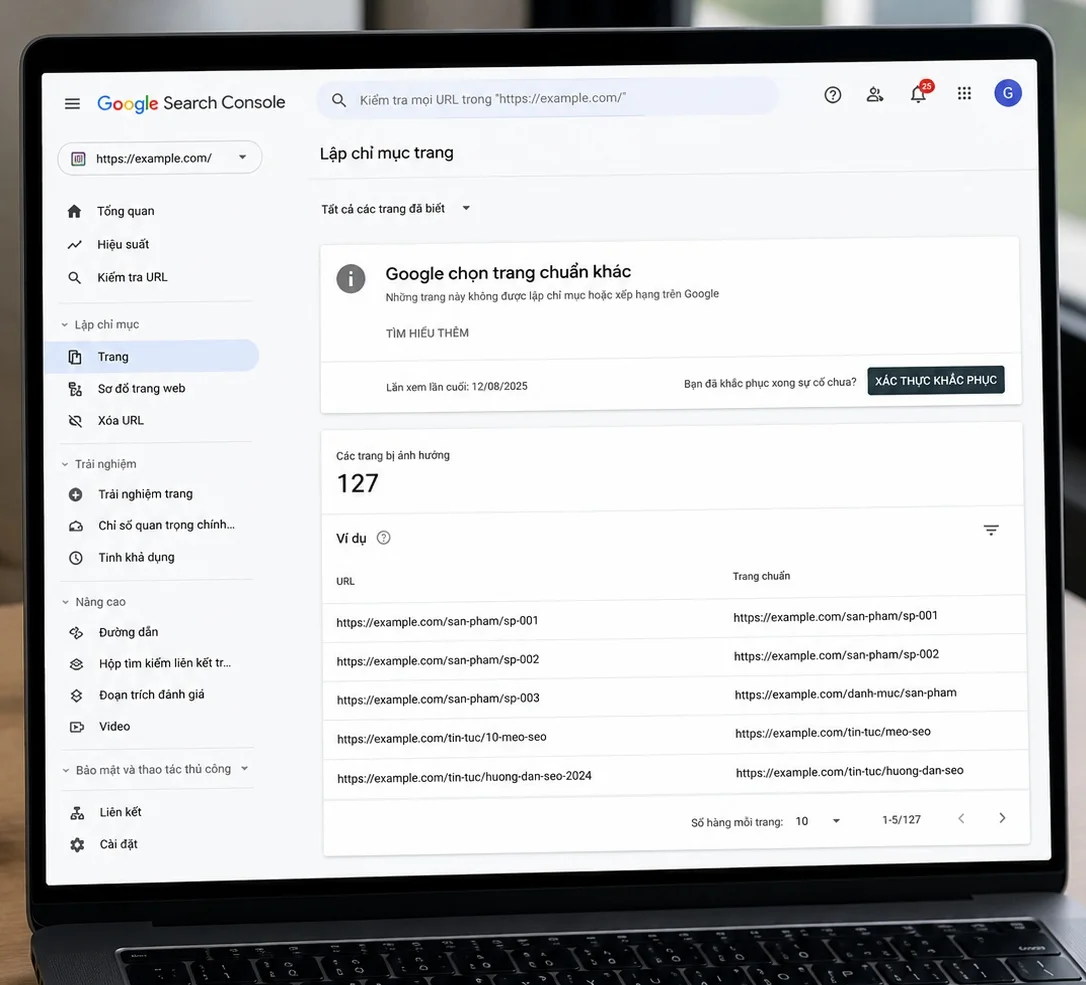
URL Inspection gives a more direct answer for a specific URL: it shows your declared canonical and Google's selected canonical side by side.
Quick checks from the command line:
# See a page's canonical tag
curl -s https://example.com/article | grep -i 'rel="canonical"'

# Check the canonical URL returns 200
curl -sI https://example.com/article | head -1

# See canonical and hreflang together
curl -s https://example.com/article | grep -iE 'canonical|hreflang'
Six common mistakes
| Mistake | Consequence |
|---|---|
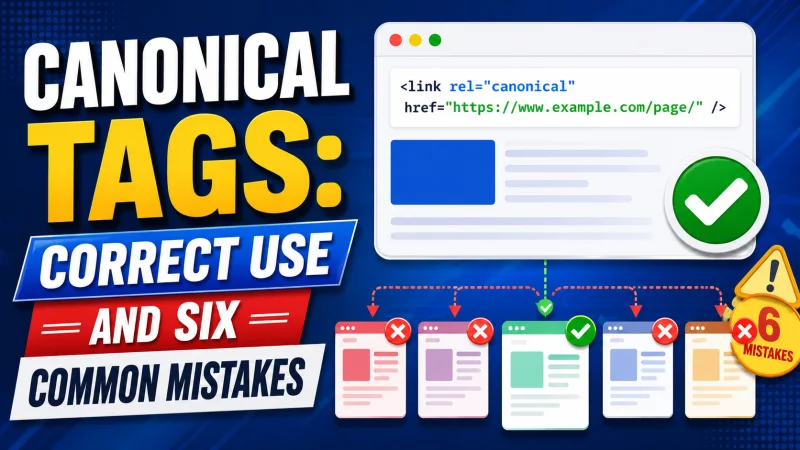
| Paginated pages canonicalised to page one | Google stops crawling later pages; older posts lose their route. |
| Translations canonicalised to the original | The translation drops out of the index. That's hreflang's job, not canonical's. |
| Canonical pointing at a redirecting or 404 URL | The tag is disabled entirely. |
| Two canonical tags on one page | Google ignores both. Usually a plugin and a template both emitting one. |
| Canonical contradicting the sitemap and internal links | Google trusts the majority and picks a different URL. |
| Blocking a URL in robots.txt while declaring a canonical | The bot can't fetch the page to read the tag. The two cancel out. |
In short
Four things worth remembering:
- A canonical is a hint. It only carries weight when the sitemap, internal links, and redirects all say the same thing.
- Every page should self-canonicalise, paginated pages included.
- Translations use hreflang, not canonical. Confusing the two removes your translation from Google.
- A URL with no reason to exist gets a 301, not a canonical.
That covers the three foundational questions of technical SEO: found, allowed in, correct version chosen. Everything else — load speed, structured data, mobile experience — assumes those three are already right. Optimising the upper floors doesn't help when the foundation is wrong.